
Diffusers documentation
OmniGen
OmniGen
OmniGen: توليد الصور الموحّد من BAAI، بقلم Shitao Xiao وYueze Wang وJunjie Zhou وHuaying Yuan وXingrun Xing وRuiran Yan وChaofan Li وShuting Wang وTiejun Huang وZheng Liu.
ملخص الورقة البحثية هو:
أدى ظهور نماذج اللغة الكبيرة (LLMs) إلى توحيد مهام توليد اللغة وقلب موازين التفاعل بين الإنسان والآلة. ومع ذلك، في مجال توليد الصور، لا يزال النموذج الموحّد القادر على التعامل مع مهام متنوعة ضمن إطار عمل واحد غير مستكشف إلى حد كبير. في هذا العمل، نعرّف OmniGen، وهو نموذج انتشار جديد لتوليد الصور الموحّد. يتسم OmniGen بالخصائص التالية: 1) التوحيد: لا يُظهر OmniGen قدرات توليد الصور من النص فحسب، بل يدعم بشكل جوهري مهامًا لاحقة متنوعة، مثل تحرير الصور، والتوليد الموجَّه بالموضوع، والتوليد الشرطي البصري. 2) البساطة: هيكل OmniGen مبسّط للغاية، مما يلغي الحاجة إلى إضافات خارجية. علاوة على ذلك، مقارنةً بنماذج الانتشار الحالية، فهو أكثر سهولة في الاستخدام، ويمكنه إكمال المهام المعقدة من البداية إلى النهاية عبر التعليمات دون الحاجة إلى خطوات وسيطة إضافية، مما يبسّط بشكل كبير سير عمل توليد الصور. 3) نقل المعرفة: بفضل التعلّم بصيغة موحّدة، ينقل OmniGen المعرفة بفعالية عبر مهام مختلفة، ويتعامل مع المهام والمجالات غير المرئية، ويعرض قدرات جديدة. كما نستكشف قدرات الاستدلال في النموذج والتطبيقات المحتملة لآلية سلسلة الأفكار. يمثل هذا العمل المحاولة الأولى لنموذج توليد صور عام، وسننشر مواردنا على https://github.com/VectorSpaceLab/OmniGen لتعزيز التطورات المستقبلية.
تأكد من الاطلاع على دليل المجدولين لمعرفة كيفية استكشاف التوازن بين سرعة المجدول وجودة النتائج، واطّلع على قسم إعادة استخدام المكونات عبر خطوط الأنابيب لمعرفة كيفية تحميل نفس المكونات بكفاءة في خطوط أنابيب متعددة.
تمت مساهمة خط المعالجة هذا من قِبل staoxiao. يمكن العثور على قاعدة الكود الأصلية هنا. يمكن العثور على الأوزان الأصلية تحت hf.co/shitao.
تحميل نقاط التفتيش للنماذج
قد تُخزَّن أوزان النموذج في مجلدات فرعية منفصلة على Hub أو محليًا، وفي هذه الحالة، يجب عليك استخدام طريقة from_pretrained().
import torch
from diffusers import OmniGenPipeline

pipe = OmniGenPipeline.from_pretrained("Shitao/OmniGen-v1-diffusers", dtype=torch.bfloat16)
النص إلى صورة
لتوليد الصور من النص، مرّر موجهًا نصيًا. افتراضيًا، يولّد OmniGen صورة بأبعاد 1024x1024.
يمكنك تجربة ضبط المعاملين height وwidth لتوليد صور بأحجام مختلفة.
import torch
from diffusers import OmniGenPipeline

pipe = OmniGenPipeline.from_pretrained(
    "Shitao/OmniGen-v1-diffusers",
    dtype=torch.bfloat16
)
pipe.to("cuda")  # or "mps", "xpu", "cpu"

prompt = "Realistic photo. A young woman sits on a sofa, holding a book and facing the camera. She wears delicate silver hoop earrings adorned with tiny, sparkling diamonds that catch the light, with her long chestnut hair cascading over her shoulders. Her eyes are focused and gentle, framed by long, dark lashes. She is dressed in a cozy cream sweater, which complements her warm, inviting smile. Behind her, there is a table with a cup of water in a sleek, minimalist blue mug. The background is a serene indoor setting with soft natural light filtering through a window, adorned with tasteful art and flowers, creating a cozy and peaceful ambiance. 4K, HD."
image = pipe(
    prompt=prompt,
    height=1024,
    width=1024,
    guidance_scale=3,
    generator=torch.Generator(device="cpu").manual_seed(111),
).images[0]
image.save("output.png")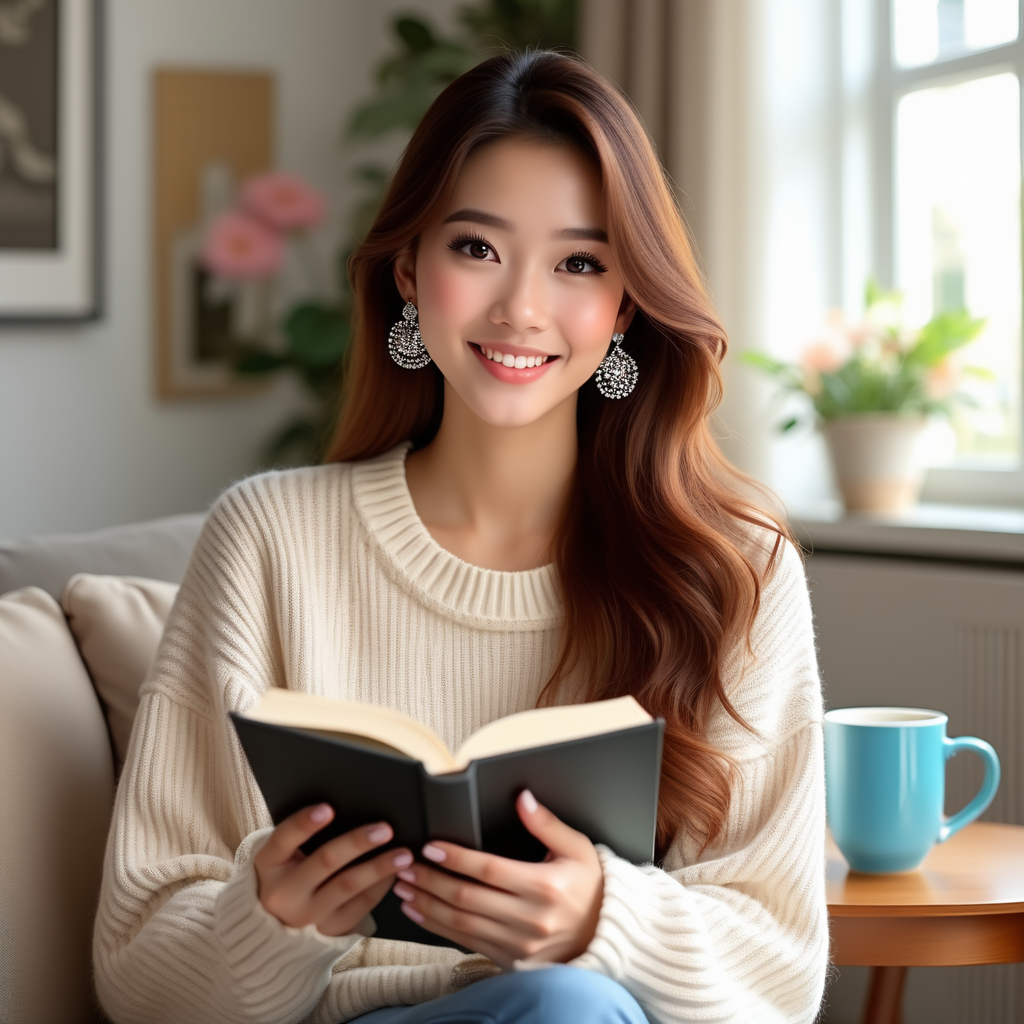
تعديل الصورة
يدعم OmniGen المدخلات متعددة الوسائط.
عندما يتضمن المدخل صورة، يجب إضافة عنصر نائب <img><|image_1|></img> في نص الأمر لتمثيل الصورة.
يُوصى بتفعيل use_input_image_size_as_output للحفاظ على حجم الصورة المعدلة مطابقًا لحجم الصورة الأصلية.
import torch
from diffusers import OmniGenPipeline
from diffusers.utils import load_image

pipe = OmniGenPipeline.from_pretrained(
    "Shitao/OmniGen-v1-diffusers",
    dtype=torch.bfloat16
)
pipe.to("cuda")  # or "mps", "xpu", "cpu"

prompt="<img><|image_1|></img> Remove the woman's earrings. Replace the mug with a clear glass filled with sparkling iced cola."
input_images=[load_image("https://raw.githubusercontent.com/VectorSpaceLab/OmniGen/main/imgs/docs_img/t2i_woman_with_book.png")]
image = pipe(
    prompt=prompt,
    input_images=input_images,
    guidance_scale=2,
    img_guidance_scale=1.6,
    use_input_image_size_as_output=True,
    generator=torch.Generator(device="cpu").manual_seed(222)
).images[0]
image.save("output.png") 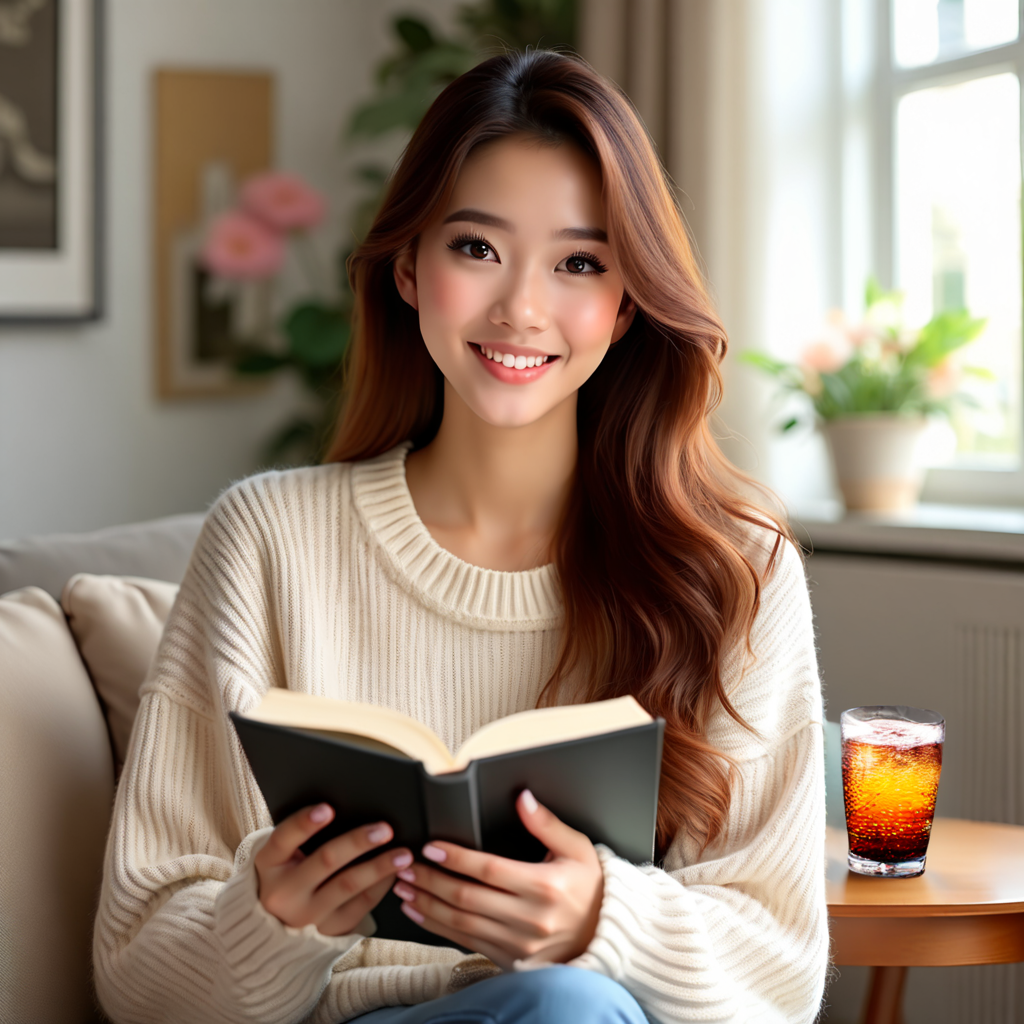
يتميز OmniGen ببعض الميزات المثيرة للاهتمام، مثل الاستدلال البصري، كما هو موضح في المثال أدناه.
prompt="If the woman is thirsty, what should she take? Find it in the image and highlight it in blue. <img><|image_1|></img>"
input_images=[load_image("https://raw.githubusercontent.com/VectorSpaceLab/OmniGen/main/imgs/docs_img/edit.png")]
image = pipe(
    prompt=prompt,
    input_images=input_images,
    guidance_scale=2,
    img_guidance_scale=1.6,
    use_input_image_size_as_output=True,
    generator=torch.Generator(device="cpu").manual_seed(0)
).images[0]
image.save("output.png")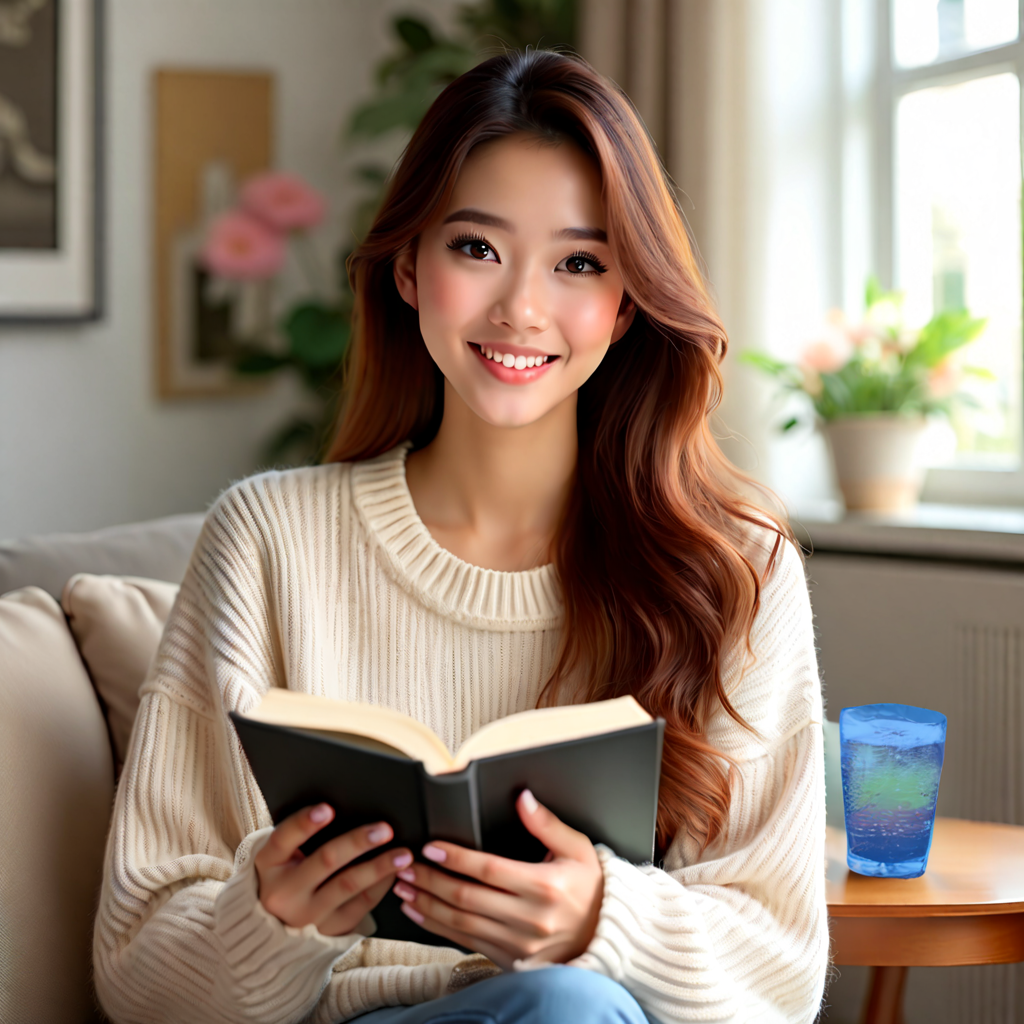
التوليد القابل للتحكم
يمكن لـ OmniGen التعامل مع عدة مهام كلاسيكية في مجال رؤية الحاسوب. كما هو موضح أدناه، يمكن لـ OmniGen اكتشاف هياكل العظام البشرية في الصور المدخلة، والتي يمكن استخدامها كحالات تحكم لتوليد صور جديدة.
import torch
from diffusers import OmniGenPipeline
from diffusers.utils import load_image

pipe = OmniGenPipeline.from_pretrained(
    "Shitao/OmniGen-v1-diffusers",
    dtype=torch.bfloat16
)
pipe.to("cuda")  # or "mps", "xpu", "cpu"

prompt="Detect the skeleton of human in this image: <img><|image_1|></img>"
input_images=[load_image("https://raw.githubusercontent.com/VectorSpaceLab/OmniGen/main/imgs/docs_img/edit.png")]
image1 = pipe(
    prompt=prompt,
    input_images=input_images,
    guidance_scale=2,
    img_guidance_scale=1.6,
    use_input_image_size_as_output=True,
    generator=torch.Generator(device="cpu").manual_seed(333)
).images[0]
image1.save("image1.png")

prompt="Generate a new photo using the following picture and text as conditions: <img><|image_1|></img>\n A young boy is sitting on a sofa in the library, holding a book. His hair is neatly combed, and a faint smile plays on his lips, with a few freckles scattered across his cheeks. The library is quiet, with rows of shelves filled with books stretching out behind him."
input_images=[load_image("https://raw.githubusercontent.com/VectorSpaceLab/OmniGen/main/imgs/docs_img/skeletal.png")]
image2 = pipe(
    prompt=prompt,
    input_images=input_images,
    guidance_scale=2,
    img_guidance_scale=1.6,
    use_input_image_size_as_output=True,
    generator=torch.Generator(device="cpu").manual_seed(333)
).images[0]
image2.save("image2.png") 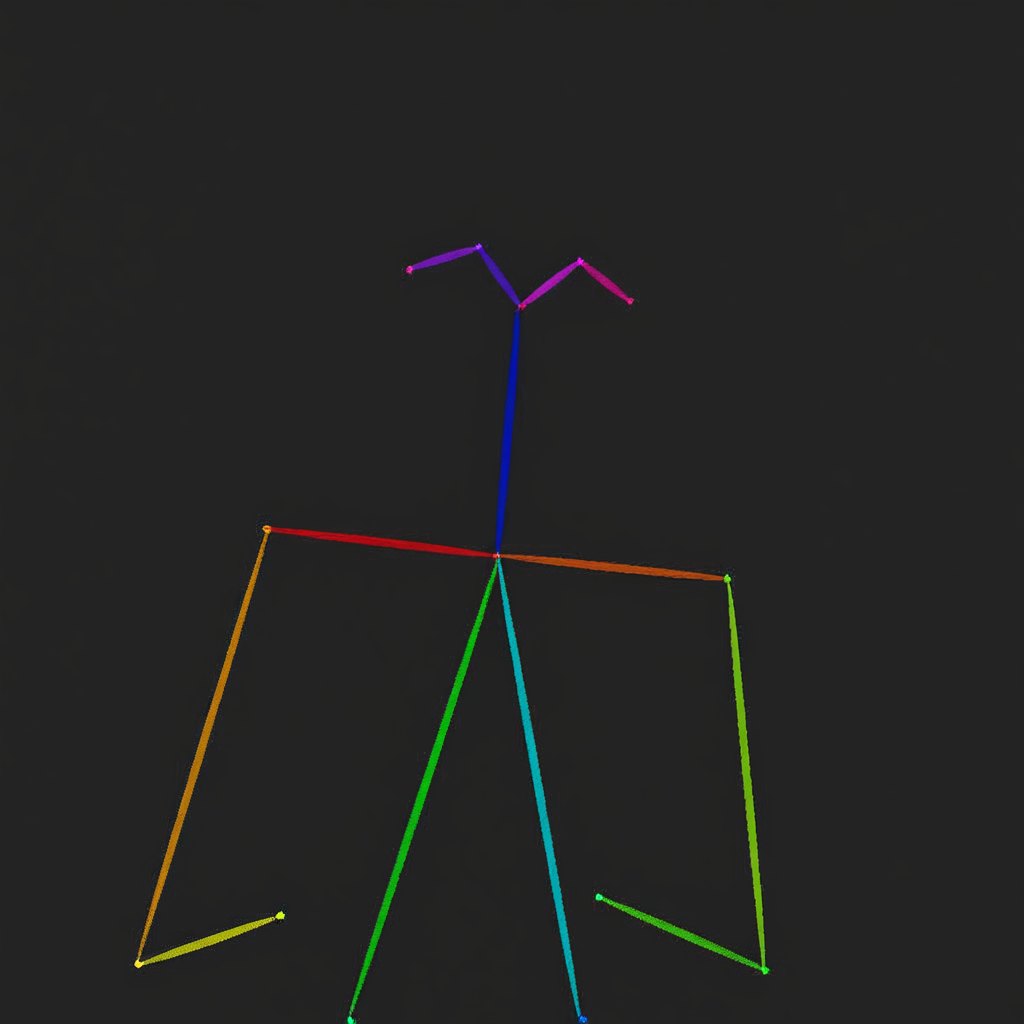
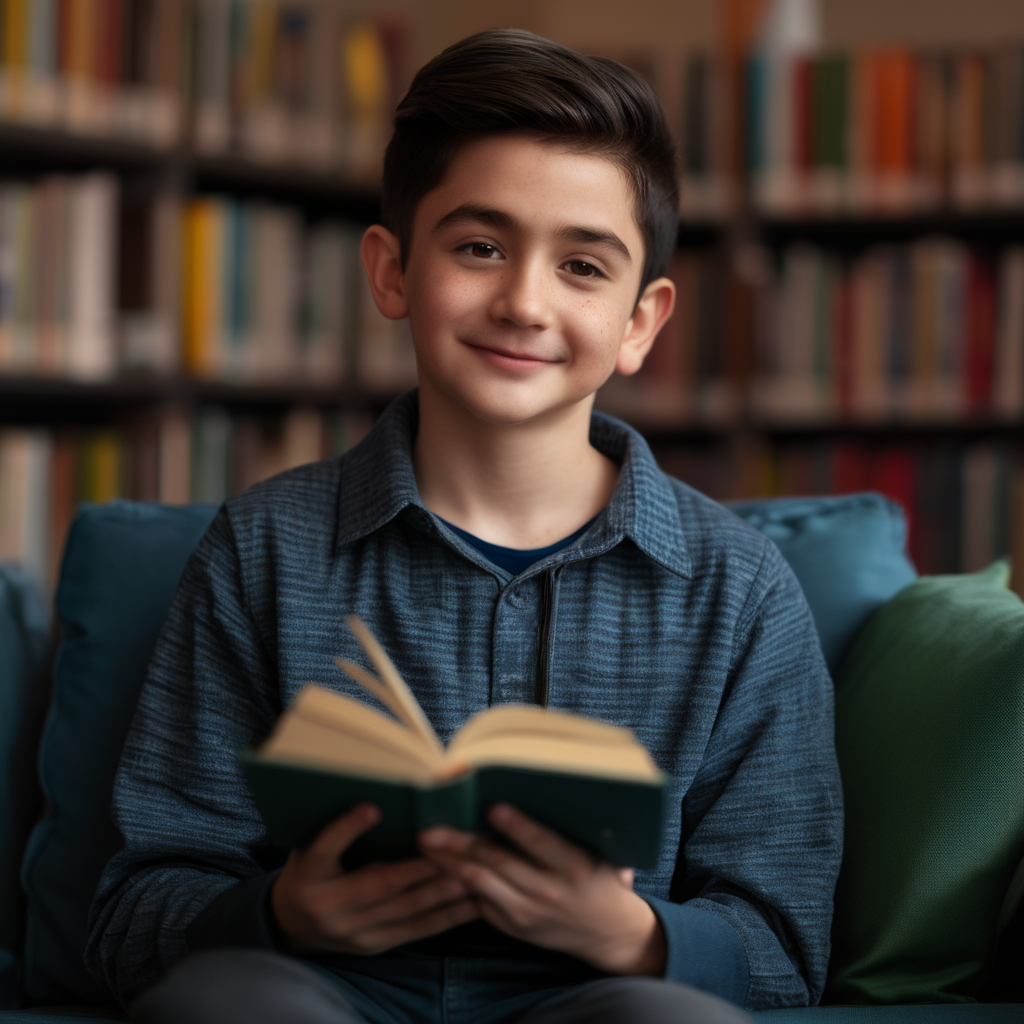
يمكن لـ OmniGen أيضًا استخدام المعلومات ذات الصلة من الصور المدخلة مباشرةً لتوليد صور جديدة.
import torch
from diffusers import OmniGenPipeline
from diffusers.utils import load_image

pipe = OmniGenPipeline.from_pretrained(
    "Shitao/OmniGen-v1-diffusers",
    dtype=torch.bfloat16
)
pipe.to("cuda")  # or "mps", "xpu", "cpu"

prompt="Following the pose of this image <img><|image_1|></img>, generate a new photo: A young boy is sitting on a sofa in the library, holding a book. His hair is neatly combed, and a faint smile plays on his lips, with a few freckles scattered across his cheeks. The library is quiet, with rows of shelves filled with books stretching out behind him."
input_images=[load_image("https://raw.githubusercontent.com/VectorSpaceLab/OmniGen/main/imgs/docs_img/edit.png")]
image = pipe(
    prompt=prompt,
    input_images=input_images,
    guidance_scale=2,
    img_guidance_scale=1.6,
    use_input_image_size_as_output=True,
    generator=torch.Generator(device="cpu").manual_seed(0)
).images[0]
image.save("output.png")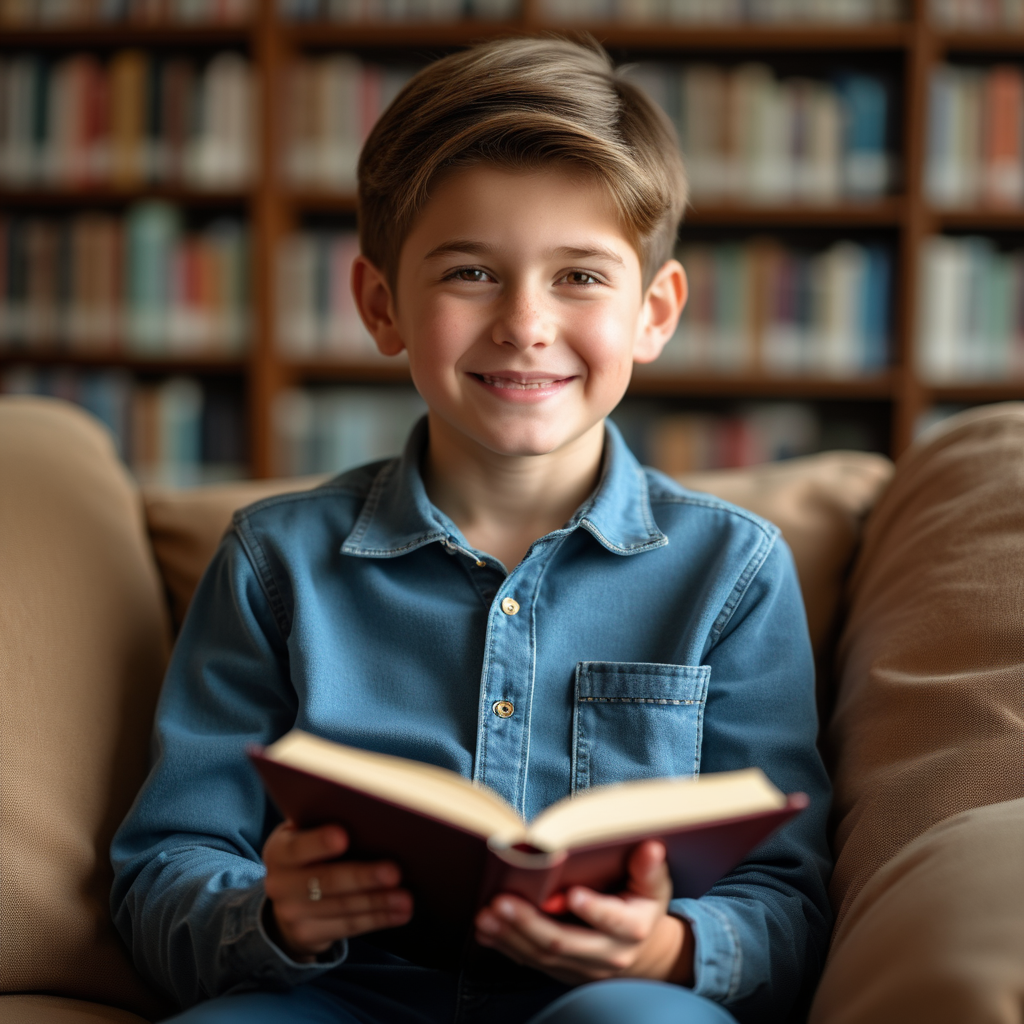
الحفاظ على المعرّف والكائن
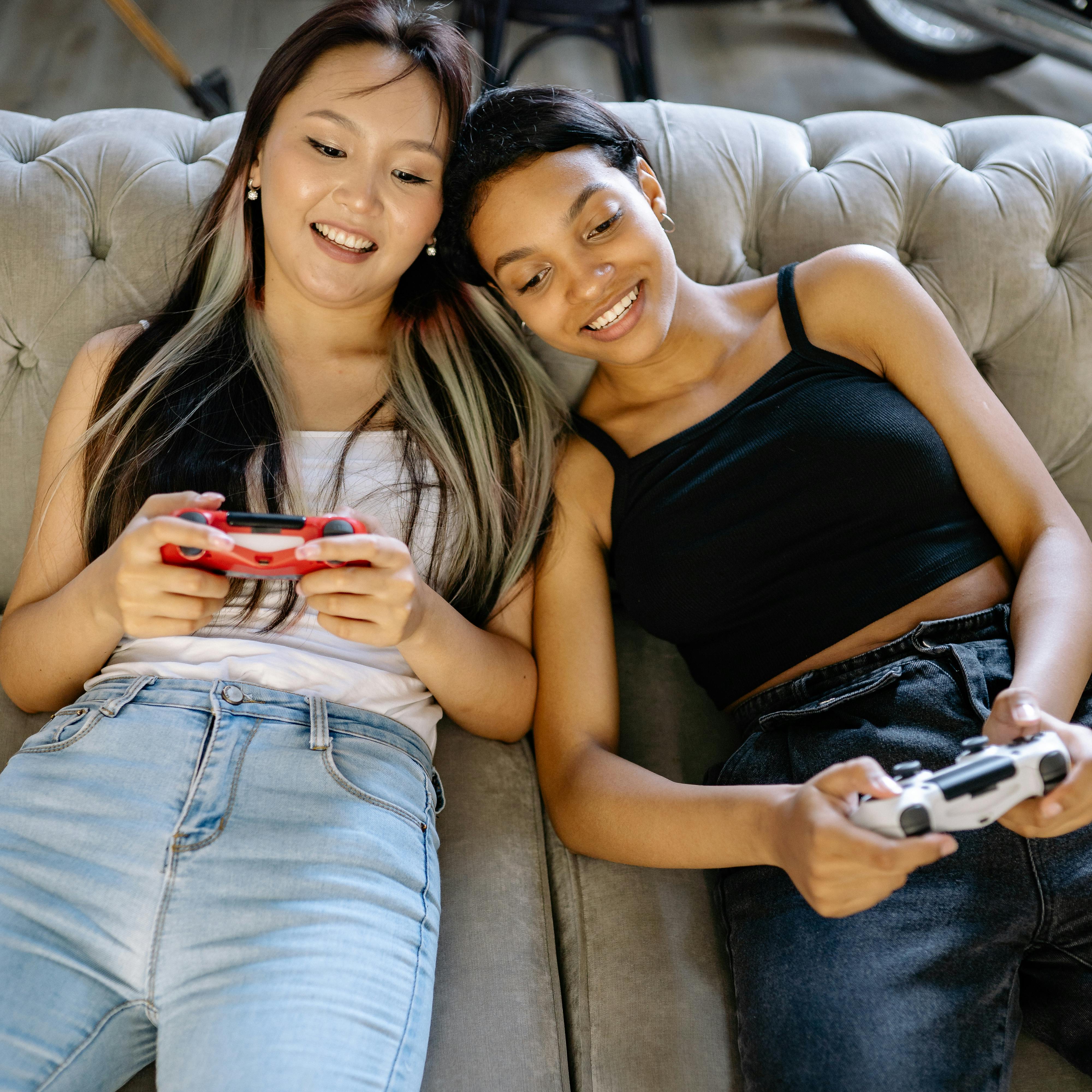
يمكن لـ OmniGen توليد صور متعددة بناءً على الأشخاص والأشياء الموجودة في الصورة المدخلة، كما يدعم إدخال عدة صور في الوقت نفسه. بالإضافة إلى ذلك، يمكن لـ OmniGen استخراج الأشياء المطلوبة من صورة تحتوي على عدة أشياء بناءً على التعليمات.
import torch
from diffusers import OmniGenPipeline
from diffusers.utils import load_image

pipe = OmniGenPipeline.from_pretrained(
    "Shitao/OmniGen-v1-diffusers",
    dtype=torch.bfloat16
)
pipe.to("cuda")  # or "mps", "xpu", "cpu"

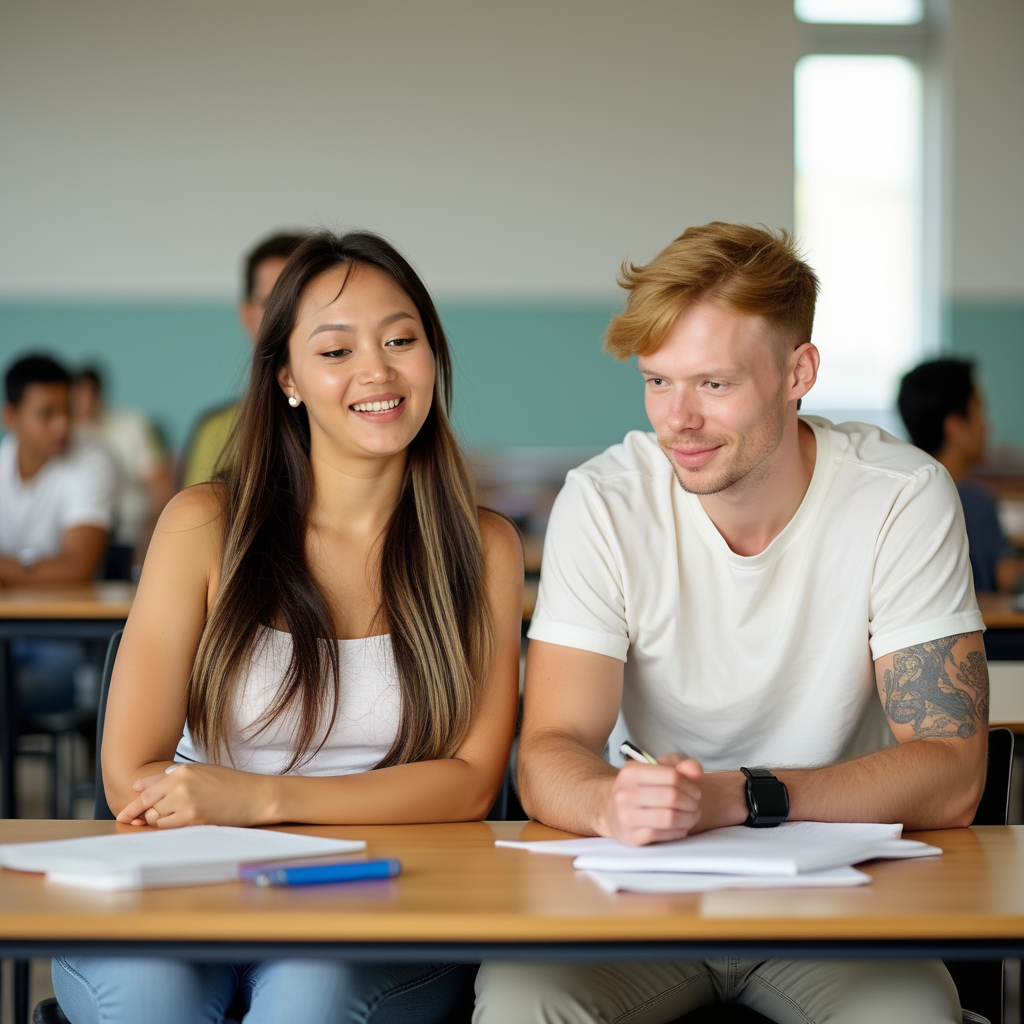
prompt="A man and a woman are sitting at a classroom desk. The man is the man with yellow hair in <img><|image_1|></img>. The woman is the woman on the left of <img><|image_2|></img>"
input_image_1 = load_image("https://raw.githubusercontent.com/VectorSpaceLab/OmniGen/main/imgs/docs_img/3.png")
input_image_2 = load_image("https://raw.githubusercontent.com/VectorSpaceLab/OmniGen/main/imgs/docs_img/4.png")
input_images=[input_image_1, input_image_2]
image = pipe(
    prompt=prompt,
    input_images=input_images,
    height=1024,
    width=1024,
    guidance_scale=2.5,
    img_guidance_scale=1.6,
    generator=torch.Generator(device="cpu").manual_seed(666)
).images[0]
image.save("output.png")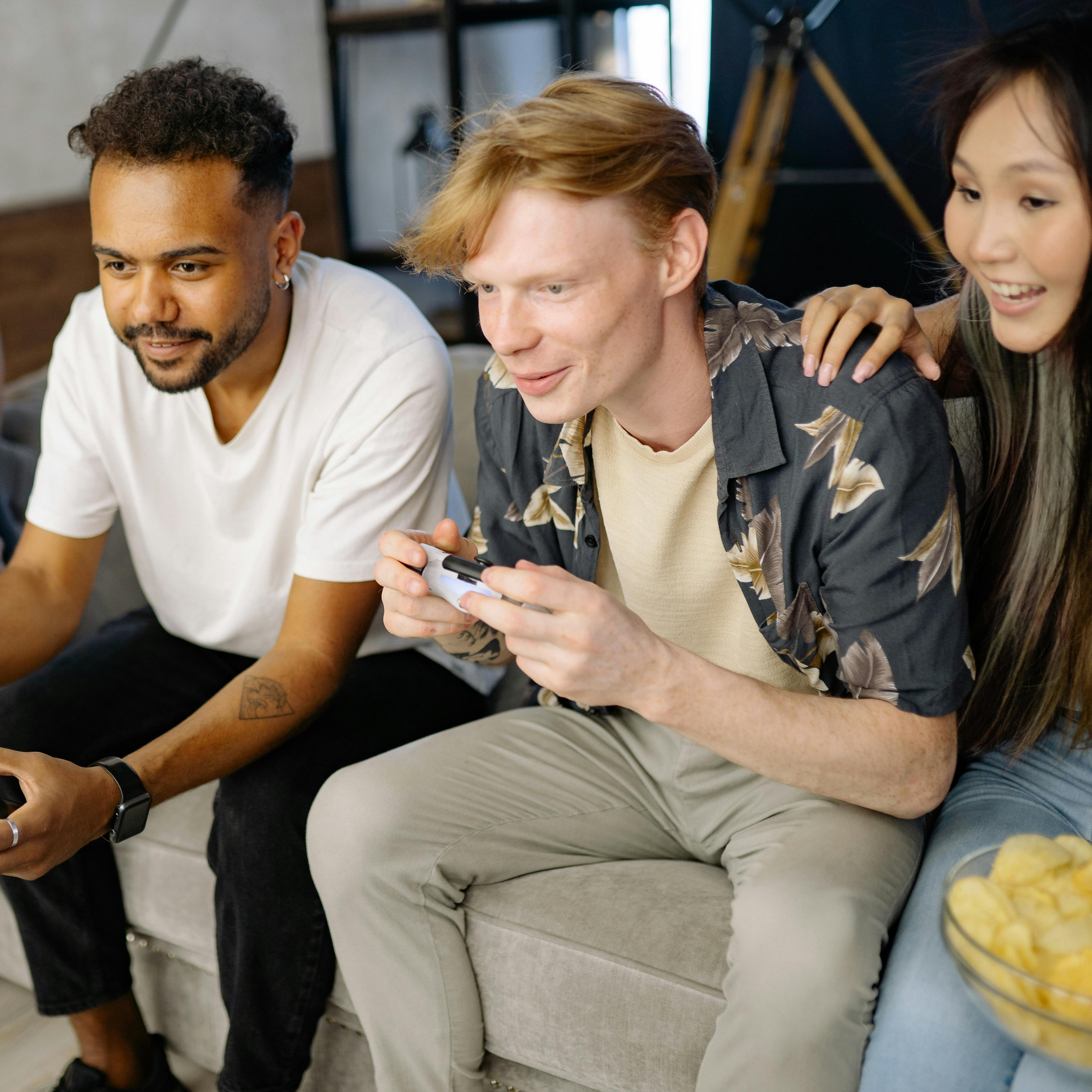
import torch
from diffusers import OmniGenPipeline
from diffusers.utils import load_image

pipe = OmniGenPipeline.from_pretrained(
    "Shitao/OmniGen-v1-diffusers",
    dtype=torch.bfloat16
)
pipe.to("cuda")  # or "mps", "xpu", "cpu"

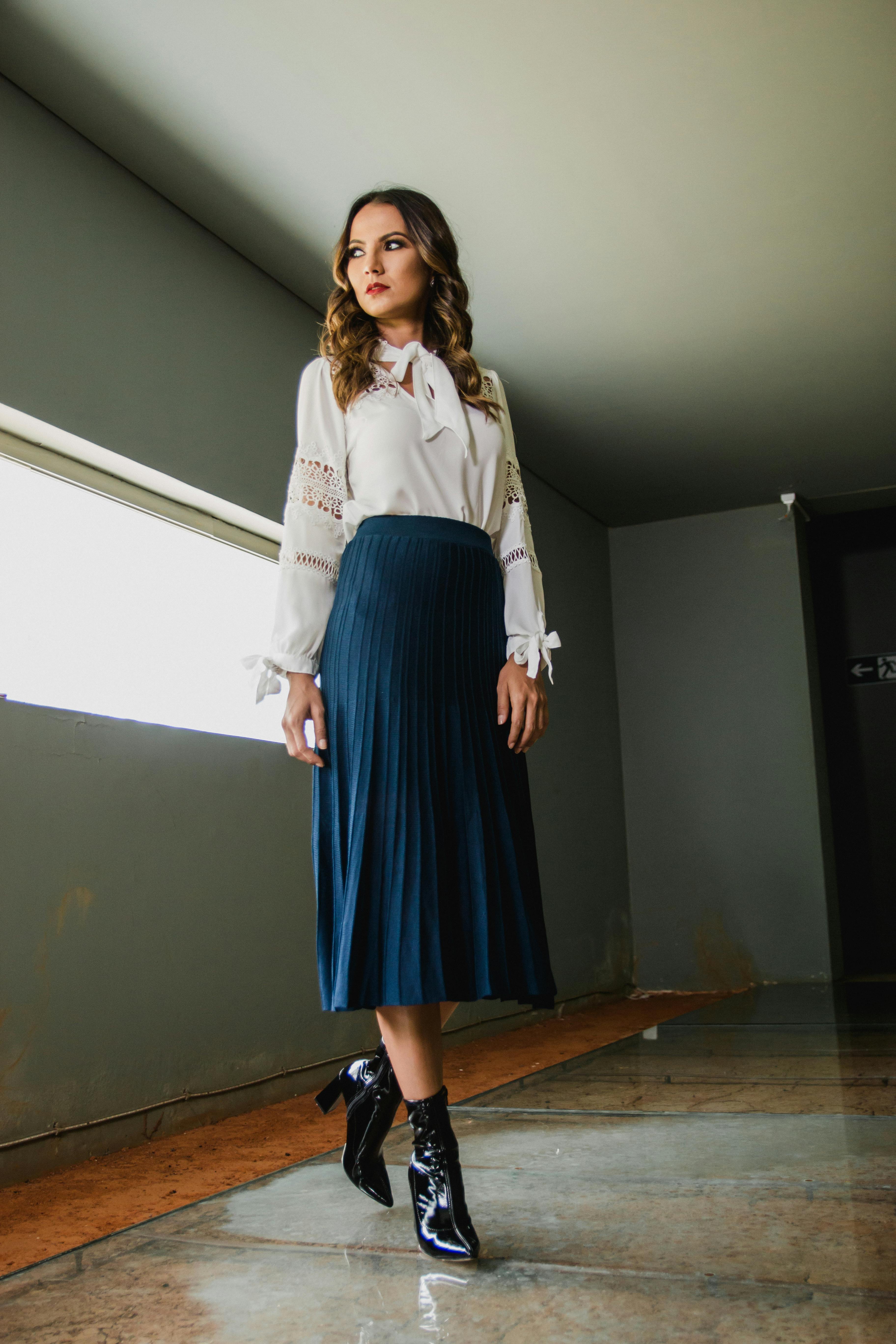
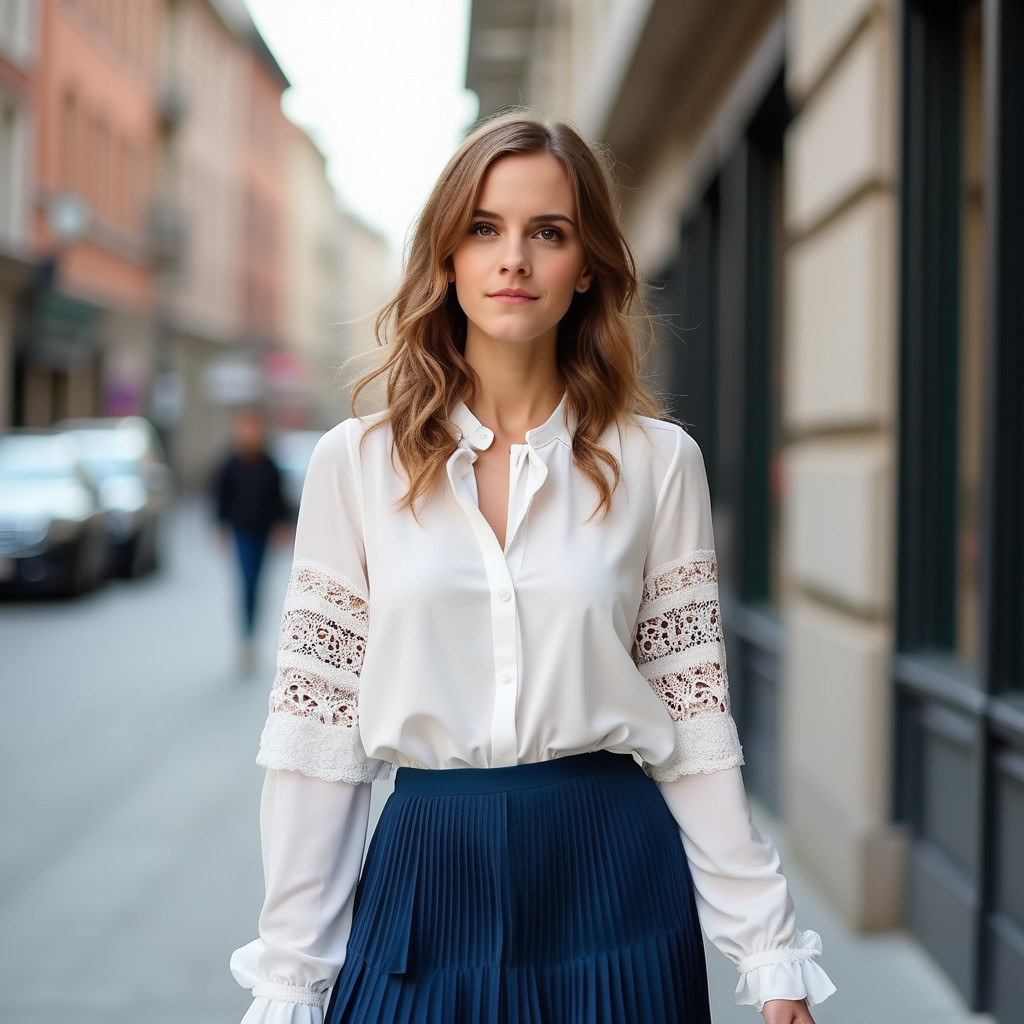
prompt="A woman is walking down the street, wearing a white long-sleeve blouse with lace details on the sleeves, paired with a blue pleated skirt. The woman is <img><|image_1|></img>. The long-sleeve blouse and a pleated skirt are <img><|image_2|></img>."
input_image_1 = load_image("https://raw.githubusercontent.com/VectorSpaceLab/OmniGen/main/imgs/docs_img/emma.jpeg")
input_image_2 = load_image("https://raw.githubusercontent.com/VectorSpaceLab/OmniGen/main/imgs/docs_img/dress.jpg")
input_images=[input_image_1, input_image_2]
image = pipe(
    prompt=prompt,
    input_images=input_images,
    height=1024,
    width=1024,
    guidance_scale=2.5,
    img_guidance_scale=1.6,
    generator=torch.Generator(device="cpu").manual_seed(666)
).images[0]
image.save("output.png")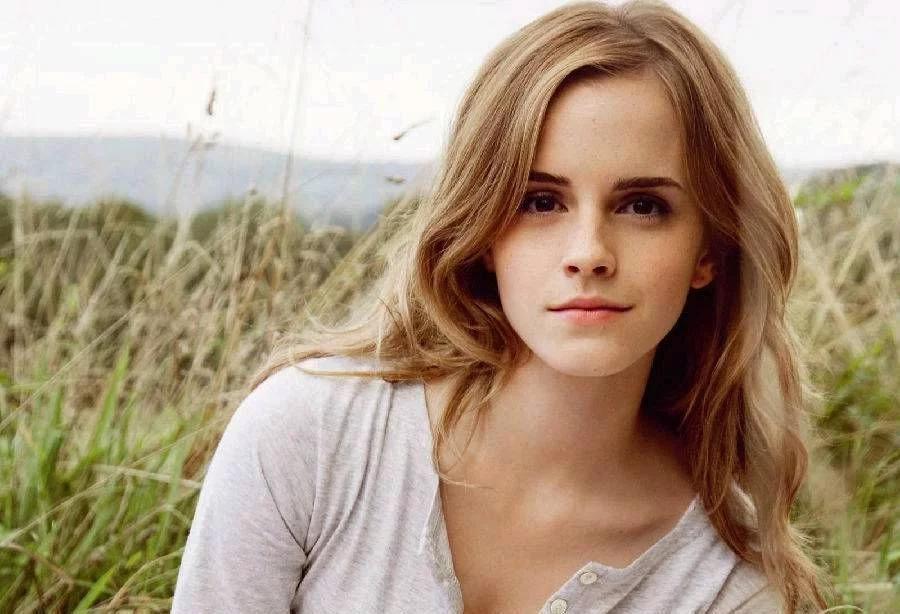
التحسين عند استخدام صور متعددة
في مهمة النص إلى صورة، يتطلب OmniGen الحد الأدنى من تكاليف الذاكرة والوقت (9 جيجابايت من الذاكرة و31 ثانية لصورة بدقة 1024x1024 على معالج رسومي A800). ومع ذلك، عند استخدام صور كمدخلات، تزداد التكلفة الحسابية.
فيما يلي بعض الإرشادات لمساعدتك على تقليل التكاليف الحسابية عند استخدام صور متعددة. تم إجراء التجارب على معالج رسومي A800 مع صورتين مدخلتين.
كما هو الحال مع خطوط الأنابيب الأخرى، يمكنك تقليل استهلاك الذاكرة عن طريق تفريغ النموذج: pipe.enable_model_cpu_offload() أو pipe.enable_sequential_cpu_offload().
في OmniGen، يمكنك أيضًا تقليل العبء الحسابي عن طريق تقليل max_input_image_size.
يُظهر الجدول أدناه استهلاك الذاكرة لمقاسات الصور المختلفة:
| الطريقة | استهلاك الذاكرة |
|---|---|
| max_input_image_size=1024 | 40GB |
| max_input_image_size=512 | 17GB |
| max_input_image_size=256 | 14GB |
OmniGenPipeline
فئة diffusers.OmniGenPipeline
< source >( transformer: OmniGenTransformer2DModelscheduler: FlowMatchEulerDiscreteSchedulervae: AutoencoderKLtokenizer: LlamaTokenizer )
المعاملات
- transformer (OmniGenTransformer2DModel) — بنية Transformer ذاتية التوليد (Autoregressive) لـ OmniGen.
- scheduler (FlowMatchEulerDiscreteScheduler) —
جدول زمني يُستخدم بالاقتران مع
transformerلإزالة الضوضاء من كائنات الصورة المُرمّزة. - vae (AutoencoderKL) — نموذج الترميز التبايني التلقائي (VAE) لتشفير وفك تشفير الصور إلى تمثيلات كامنة ومنها.
- tokenizer (
LlamaTokenizer) — مجزّئ النصوص من الفئة LlamaTokenizer.
خط أنابيب OmniGen لتوليد الصور من الوسائط المتعددة.
مرجع: https://huggingface.co/papers/2409.11340
__call__
< source >( prompt: str | list[str]input_images: typing.Union[PIL.Image.Image, numpy.ndarray, torch.Tensor, list[PIL.Image.Image], list[numpy.ndarray], list[torch.Tensor], list[typing.Union[PIL.Image.Image, numpy.ndarray, torch.Tensor, list[PIL.Image.Image], list[numpy.ndarray], list[torch.Tensor]]]] = Noneheight: int | None = Nonewidth: int | None = Nonenum_inference_steps: int = 50max_input_image_size: int = 1024timesteps: list = Noneguidance_scale: float = 2.5img_guidance_scale: float = 1.6use_input_image_size_as_output: bool = Falsenum_images_per_prompt: int | None = 1generator: typing.Union[torch.Generator, list[torch.Generator], NoneType] = Nonelatents: typing.Optional[torch.Tensor] = Noneoutput_type: str | None = 'pil'return_dict: bool = Truecallback_on_step_end: typing.Optional[typing.Callable[[int, int], NoneType]] = Nonecallback_on_step_end_tensor_inputs: list = ['latents'] ) → ImagePipelineOutput or tuple
المعاملات
- prompt (
strأوlist[str]، اختياري) — الموجّه أو الموجّهات التي توجّه توليد الصورة. إذا كانت المدخلات تتضمن صورًا، فيجب إضافة المواضع الاحتياطية<img><|image_i|></img>في الموجّه للإشارة إلى موضع الصورة رقم i. - input_images (
PipelineImageInputأوlist[PipelineImageInput]، اختياري) — قائمة الصور المدخلة. سنستبدل ”<|image_i|>” في الأمر بالصورة رقم i في القائمة. - height (
int، اختياري، القيمة الافتراضية هي self.unet.config.sample_size * self.vae_scale_factor) — ارتفاع الصورة المولّدة بالبكسلات. يتم ضبطه على 1024 افتراضيًا للحصول على أفضل النتائج. - width (
int، اختياري، القيمة الافتراضية هي self.unet.config.sample_size * self.vae_scale_factor) — عرض الصورة المولدة بالبكسلات. يتم ضبطه على 1024 افتراضيًا للحصول على أفضل النتائج. - num_inference_steps (
int، اختياري، القيمة الافتراضية 50) — عدد خطوات إزالة الضوضاء. تؤدي زيادة عدد خطوات إزالة الضوضاء عادةً إلى صورة بجودة أعلى على حساب بطء الاستدلال. - max_input_image_size (
int، اختياري، القيمة الافتراضية 1024) — الحد الأقصى لحجم الصورة المُدخلة، والذي سيُستخدم لقص الصورة المُدخلة إلى الحد الأقصى - timesteps (
list[int], اختياري) — خطوات زمنية مخصصة لاستخدامها في عملية إزالة الضوضاء مع المجدولين الذين يدعمون معاملtimestepsفي طريقةset_timestepsالخاصة بهم. إذا لم يُعرَّف، فسيتم استخدام السلوك الافتراضي عند تمريرnum_inference_steps. يجب أن تكون بترتيب تنازلي. - guidance_scale (
float، اختياري، القيمة الافتراضية 2.5) — مقياس التوجيه كما هو مُعرَّف في Classifier-Free Diffusion Guidance. يُعرَّفguidance_scaleعلى أنهwمن المعادلة 2. في Imagen Paper. يتم تفعيل مقياس التوجيه عن طريق تعيينguidance_scale > 1. يشجع مقياس التوجيه الأعلى على توليد صور مرتبطة ارتباطًا وثيقًا بـpromptالنصي، وعادةً على حساب انخفاض جودة الصورة. - img_guidance_scale (
float، اختياري، القيمة الافتراضية 1.6) — معرّف كمعادلة 3 في Instrucpix2pix. - use_input_image_size_as_output (bool، القيمة الافتراضية False) — ما إذا كان سيتم استخدام حجم الصورة المدخلة كحجم للصورة المُخرجة، وهو ما يمكن استخدامه للمدخلات المكونة من صورة واحدة، مثل مهام تحرير الصور
- num_images_per_prompt (
int، اختياري، القيمة الافتراضية 1) — عدد الصور التي سيتم توليدها لكل موجه. - generator (
torch.Generatorأوlist[torch.Generator]، اختياري) — مولّد واحد أو قائمة من مولّدات torch لجعل التوليد حتميًا. - latents (
torch.Tensor، اختياري) — كائنات latents ضجيجية مُولّدة مسبقًا، مُستخرجة من توزيع غاوسي، تُستخدم كمدخلات لتوليد الصور. يمكن استخدامها لتعديل نفس التوليد باستخدام أوامر مختلفة. إذا لم تُقدَّم، سيتم توليد كائن latents عن طريق الاستخراج باستخدامgeneratorالعشوائي المُقدَّم. - output_type (
str، اختياري، القيمة الافتراضية"pil") — صيغة مخرجات توليد الصورة. اختر بين PIL:PIL.Image.Imageأوnp.array. - return_dict (
bool، اختياري، القيمة الافتراضيةTrue) — ما إذا كان يجب إرجاع~pipelines.flux.FluxPipelineOutputبدلاً من tuple عادي. - callback_on_step_end (
Callable، اختياري) — دالة تُستدعى في نهاية كل خطوة إزالة ضوضاء أثناء الاستدلال. تُستدعى الدالة بالحجج التالية:callback_on_step_end(self: DiffusionPipeline, step: int, timestep: int, callback_kwargs: Dict). ستتضمنcallback_kwargsقائمة بجميع المصفوفات كما حددتهاcallback_on_step_end_tensor_inputs. - callback_on_step_end_tensor_inputs (
list، اختياري) — قائمة مدخلات المصفوفات (tensors) لدالةcallback_on_step_end. سيتم تمرير المصفوفات المحددة في القائمة كحجةcallback_kwargs. لن تتمكن من تضمين متغيرات غير مدرجة في خاصية._callback_tensor_inputsلفئة خط الأنابيب (pipeline) الخاص بك.
يعيد
ImagePipelineOutput أو tuple
ImagePipelineOutput إذا كان return_dict هو True، وإلا فسيكون tuple. عند إرجاع tuple، يكون العنصر الأول قائمة تحتوي على الصور المولّدة.
الدالة التي تُستدعى عند استدعاء خط الأنابيب للتوليد.
أمثلة:
>>> import torch
>>> from diffusers import OmniGenPipeline

>>> pipe = OmniGenPipeline.from_pretrained("Shitao/OmniGen-v1-diffusers", torch_dtype=torch.bfloat16)
>>> pipe.to("cuda")

>>> prompt = "A cat holding a sign that says hello world"
>>> # Depending on the variant being used, the pipeline call will slightly vary.
>>> # Refer to the pipeline documentation for more details.
>>> image = pipe(prompt, num_inference_steps=50, guidance_scale=2.5).images[0]
>>> image.save("output.png")
يعيد: ImagePipelineOutput أو tuple:
إذا كان return_dict هو True، يُعاد ImagePipelineOutput، وإلا يُعاد tuple
حيث يكون العنصر الأول قائمة بالصور المولّدة.
encode_input_images
< source >( input_pixel_values: listdevice: typing.Optional[torch.device] = Nonedtype: typing.Optional[torch.dtype] = None )
الحصول على التضمين المستمر للصور المدخلة بواسطة VAE
يعيد: torch.Tensor